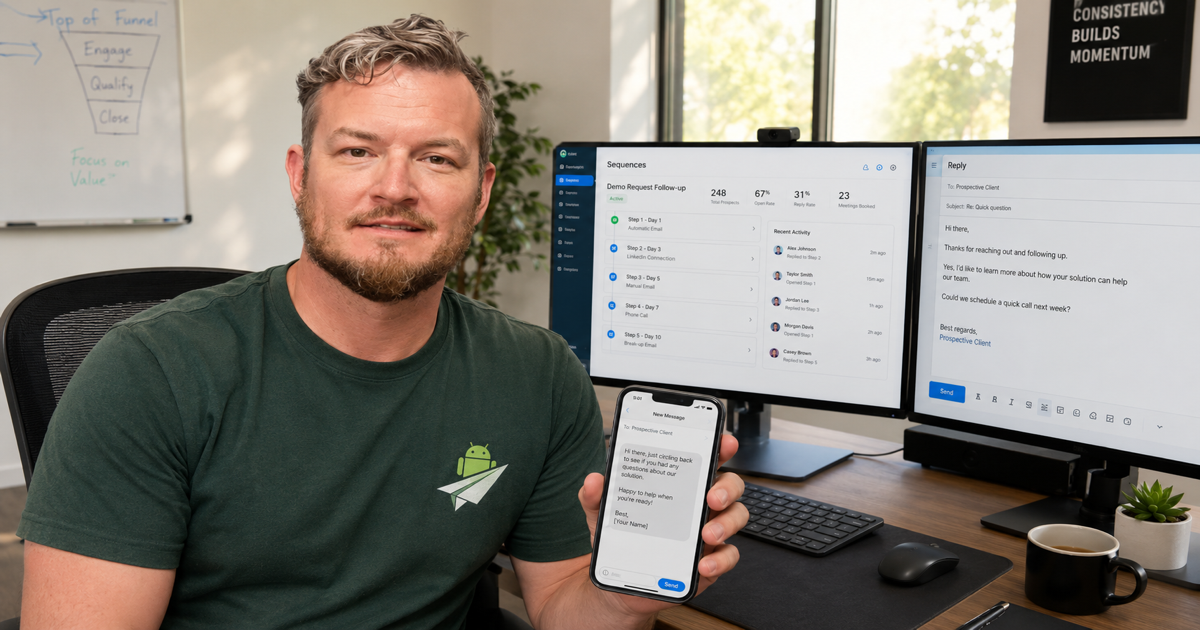
If you're running outbound sales on Apollo.io, you've already got the hardest part solved — the data and the prospecting engine. Apollo gives you verified mobile numbers, sequences, and the workflow to keep sales reps efficient. What it doesn't give you is a way to actually send SMS to those mobile numbers without spinning up a Twilio account.
And if you're a multi-client agency, an SDR shop serving regulated verticals (fintech, mortgage, debt buyers, MLM, cannabis-adjacent operations), or just an outbound team that wants reply rates 6-8× higher than email — Twilio's 10DLC vetting can shut the SMS door entirely before you've sent a single message.
There's a better path: send SMS from a real Android phone you already own, fired automatically when Apollo triggers a Zapier hook. No A2P 10DLC paperwork, no per-message charges, no Twilio account, no carrier-vetting delays.
This guide walks through the full setup. ~20 minutes start to finish.
Table of contents
- Why Apollo users need SMS
- Why Twilio rejects outbound SMS in B2B sales
- How Android Texter slots into your Apollo stack
- What you'll need
- Step 1 — pair an Android phone to Android Texter
- Step 2 — connect Apollo to Zapier
- Step 3 — wire the Send SMS action
- Step 4 — write the SMS template
- Use cases beyond initial follow-up
- Pricing math vs. Twilio for SDR teams
- Compliance FAQ for outbound sales
Why Apollo users need SMS
Apollo's reporting bears it out: SMS open rates hover at 98% vs. emails at 20-30%, and SMS reply rates run 6-8× higher than cold email replies. For sales teams already pushing the limits of cold email deliverability (DKIM, SPF, DMARC, warmup, IP rotation), SMS is the next channel — and it's the one most prospects expect now.
The challenge: Apollo doesn't include SMS in their stack. They intentionally focus on the prospecting + outreach orchestration layer and leave the actual SMS delivery to providers like Twilio, Vonage, Sinch, or Plivo.
That choice works fine if you're a SaaS company selling to other SaaS buyers. It works very poorly if:
- You're an agency running outbound for multiple clients across different industries
- Some of your clients work in 10DLC-restricted verticals (lending, debt collection, MLM, cannabis-adjacent, lead-gen)
- You don't want to wait 2-4 weeks for carrier vetting before a campaign can fire
- Your reply volume means Twilio's per-message + per-month costs erode unit economics
Why Twilio rejects outbound SMS in B2B sales
A2P 10DLC is the framework US carriers use to vet business-to-consumer SMS. Every business has to register their use case with The Campaign Registry (TCR), pay registration fees, and get approval from each carrier (AT&T, Verizon, T-Mobile, etc.).
Even legitimate B2B outbound runs into trouble:
1. "Cold messaging" vetting. Carriers ask for opt-in evidence on every campaign. Cold outbound, by definition, doesn't have prior opt-in — you got the number from a data provider (Apollo, ZoomInfo, Lusha, etc.). Some carriers reject this entirely; others approve at the lowest throughput tier (1 SMS per second), which doesn't scale.
2. Industry-wide bans. Twilio's 10DLC vetting auto-rejects: payday/installment lending, debt collection, MLM, cannabis (and cannabis-adjacent vendors), some crypto, "lead generation" for any of the above. If your client base touches these verticals, your agency-level Twilio account can be rate-limited or terminated.
3. Throughput limits. Even approved accounts on standard 10DLC tiers are capped at low SMS-per-second throughput. SDR teams pushing thousands of outbound messages a day routinely hit those caps and have messages silently dropped.
4. Per-message economics. Twilio charges $0.0079/segment plus
carrier surcharges ($0.002-0.005 depending on carrier). At
2,000 messages/day, that's $20-30/day in raw delivery costs before
account fees.
For Apollo users in any of these categories, the carrier-approved A2P ecosystem isn't a workable channel.
How Android Texter slots into your Apollo stack
Android Texter is a self-hosted SMS gateway that uses an Android phone you already own. The phone sends SMS through its existing carrier SIM, the same way you do when texting a friend. There's no A2P 10DLC registration because the messages don't traverse the A2P system at all — they're person-to-person traffic from a consumer handset.
For your Apollo workflow, it slots in as a parallel SMS sender that Zapier fires whenever Apollo emits the trigger event you care about (reply received, sequence stage advanced, meeting booked, opportunity created, etc.).
The integration shape:
Apollo (e.g. "Email reply received" event)
        │
        ▼
Apollo → Zapier trigger
        │
        ▼
Zapier → Android Texter "Send SMS" action
        │
        ▼
Paired Android phone sends SMS via carrier
Pricing: Android Texter is $10/month per phone with unlimited
messages. A single phone sends up to ~250-1,000 SMS per 24h within
carrier consumer limits. SDR teams above that volume pair multiple
phones and Android Texter load-balances automatically.
No 10DLC. No carrier vetting. No per-message charges. No vertical restrictions. The trade-off: you provide the phone (any Android phone running Android 8.0+ with an SMS-capable SIM works) and respect your local TCPA / state lending / state DNC obligations like any sales operation should.
What you'll need
- An Apollo.io account — any paid plan with Zapier access
- A Zapier account — free tier works (100 tasks/month)
- An Android Texter account — free tier works (100 messages/day)
- An Android phone — any phone running Android 8.0+ with an active SMS-capable SIM
Setup time: ~20 minutes. Ongoing cost: $0/month on free tiers, or $10/month per phone on Android Texter Pro once you exceed 100 messages/day.
Step 1 — pair an Android phone to Android Texter
- Sign up at androidtexter.com — click "Continue with Google"
- Dashboard → Devices → Add Device
- A QR code appears on screen
- Install the Android Texter app on the phone (download at androidtexter.com/download), open it, tap the QR scanner, scan the code
- Grant SMS + notification permissions when prompted
- Within 30 seconds the dashboard shows the phone as Online
Park the phone somewhere it'll stay charged and connected to WiFi or cellular data. It can be locked, sitting in a drawer in your office, anywhere — it just needs to be reachable for the SMS push.
Generate an API key while you're in the dashboard: Settings → API
Keys → Create new key, name it apollo-zapier. Copy the atx_...
string somewhere safe.
Step 2 — connect Apollo to Zapier
In Zapier:
- Create Zap → search Apollo for the trigger app
- Pick a trigger event. The most common for SDR teams:
- New Replied Email — fires when a sequence prospect replies
- New Meeting Booked — fires when a prospect books via Apollo's scheduler
- New Opportunity — fires when a deal is created
- New Sequence Stage Reached — fires when a prospect hits a specific step in your sequence
- Connect your Apollo account (one-click OAuth)
- Click Test trigger — Zapier pulls a recent matching event
If you don't see any matches in the test data, run a real sequence step or wait for an actual prospect reply, then re-run the test.
Step 3 — wire the Send SMS action
After the trigger test passes:
- Add an action step → search Android Texter
- Choose Send SMS
- Click + Connect a new account
- Paste the API key you copied earlier (
atx_...) - Save the connection (Android Texter's
/meendpoint verifies the key; you'll see the connection labeled with your email)
Now configure the SMS:
- To Phone Number — click the field, then in Zapier's variable
picker pick the prospect's mobile number field (in Apollo's data
it's usually
Contact → Mobile Phone,Contact → Phone Number, orPerson → Phone) - Message Body — your SMS template (see next section)
- Schedule for later (optional) — if you want the SMS to fire at a specific time after the trigger (e.g., 30 minutes after a Zoom meeting ends), use a Delay step before this action or pass an ISO timestamp here
Test → publish → toggle the Zap ON.
Step 4 — write the SMS template
A few notes on SMS templates for B2B sales specifically:
Identify yourself within the first 50 characters. Cold SMS works when the recipient sees a familiar name immediately. Lead with your name and company — don't hide them.
Reference the email thread or call. If this SMS fires off an Apollo trigger (replied to your email, booked a meeting), reference that touchpoint explicitly. Generic outreach reads as spam.
Single, specific ask. SMS isn't email — you don't have paragraphs to make a case. One question, one clear next step.
Include opt-out. Even though P2P SMS isn't subject to the strict A2P opt-out rules, modern recipients expect a STOP option and it's TCPA-safer.
Good templates
After email reply trigger:
Hi Sarah — Phil from Android Texter. Saw your reply about pricing — want to grab 15 mins this week? Reply STOP to opt out.
After meeting-booked trigger (sent 1 hour before the meeting):
Hi Sarah — Phil here, looking forward to our 2pm call. Zoom link is in your calendar. Anything specific you want to dig into? Reply STOP to opt out.
After meeting-completed trigger:
Hi Sarah — great talking earlier. Sending the proposal link by email shortly. Any questions on what we covered? Reply STOP to opt out.
Bad templates
🎉🎉 HUGE OPPORTUNITY!! Limited time pricing for Q1!! Click here: bit.ly/xyz123
Carrier spam filters and your prospects' brains pattern-match on exactly this. P2P SMS lets you send the message, but doesn't override the recipient's "spam → archive without reading" reflex.
Use cases beyond initial follow-up
Once the basic flow works, extend the pattern:
| Apollo trigger | SMS body angle | Timing |
|---|---|---|
| Email replied | Quick "want to chat?" follow-up | Immediate |
| Meeting booked | Confirmation + prep question | Immediate |
| Meeting in 1 hour | Reminder + Zoom link | Scheduled (Zapier Delay step) |
| Meeting no-show | Re-engagement | 15 min after scheduled start |
| Opportunity stage advanced | Status update / encouragement | Immediate |
| Sequence stage 3 (no reply yet) | "Bumping this up" SMS | At step trigger |
| Cold sequence finished | Final-ask SMS before archive | At end of sequence |
For high-volume use cases (1,000+ SMS/day), use Android Texter's
Send Broadcast action instead of multiple Send SMS calls. It
sends to up to 500 recipients per call with per-recipient
{{first_name}} substitution.
Pricing math vs. Twilio for SDR teams
For a 3-rep SDR team running ~2,000 SMS per month per rep (6,000 total/month, 200/day):
| Twilio (if approved) | Android Texter | |
|---|---|---|
| 10DLC registration fee | $40 + carrier fees | $0 |
| Monthly account fees | ~$15-50 | $0 |
| Per-message cost | ~$0.0079 + ~$0.003 carrier | $0 |
| Per-month delivery cost | ~$65 at 6,000 msgs | $0 |
| Hardware | None (cloud) | $10/month per phone |
| 10DLC vetting approval | 1-3 weeks | None (immediate) |
| Total monthly | ~$80-130 | $10-30 (1-3 phones) |
| Risk of vertical-based rejection | High | None |
The economics shift further as volume grows. At 20,000 SMS/month across a 10-rep SDR team, Twilio runs ~$200-300; Android Texter runs $30-50 (3-5 phones load-balanced).
Compliance FAQ for outbound sales
Is cold SMS legal for B2B sales? The TCPA governs SMS based on consent, with carve-outs for some business-to-business communications. The current FCC interpretation is that B2B cold SMS to genuine business contacts (people whose phones are listed for business purposes, like Apollo's verified mobile data) is generally permissible, but state laws vary. Get a lawyer's review for your specific jurisdiction and use case. Android Texter doesn't add consent vetting on top — that's your operation's responsibility regardless of delivery mechanism.
What about state-level DNC lists? Each state's Do Not Call registry applies to SMS in some jurisdictions. Best practice: check Apollo's mobile data against state DNC lists before adding numbers to SMS sequences. Apollo has integrations with DNC scrubbing services; use them.
Do I need to include "STOP to opt out"? Strict A2P 10DLC rules require explicit STOP/HELP handling. P2P SMS doesn't carry the same regulatory requirement, but TCPA case law broadly supports respecting opt-out requests regardless of channel. Include it.
Can my reps see SMS responses? Yes. Inbound SMS arrives in your Android Texter dashboard's Messages view, and you can wire a Zapier trigger ("New Inbound Message") to fire any downstream action — log the reply back to Apollo as a note, post to a Slack channel, or assign to a rep.
What's my carrier throughput? US consumer carriers throttle outgoing SMS at ~250-1,000 per 24h per number before flagging spam-like behavior. For higher-volume teams, pair 2-3 phones per account — Android Texter load-balances across them automatically.
What if my Apollo data has international mobile numbers? The paired phone uses its SIM's home country and rates. US SIM → US-to-international rates (typically $0.10-0.30/msg depending on destination and carrier). For high-volume international outreach, pair phones with SIMs in each destination country.