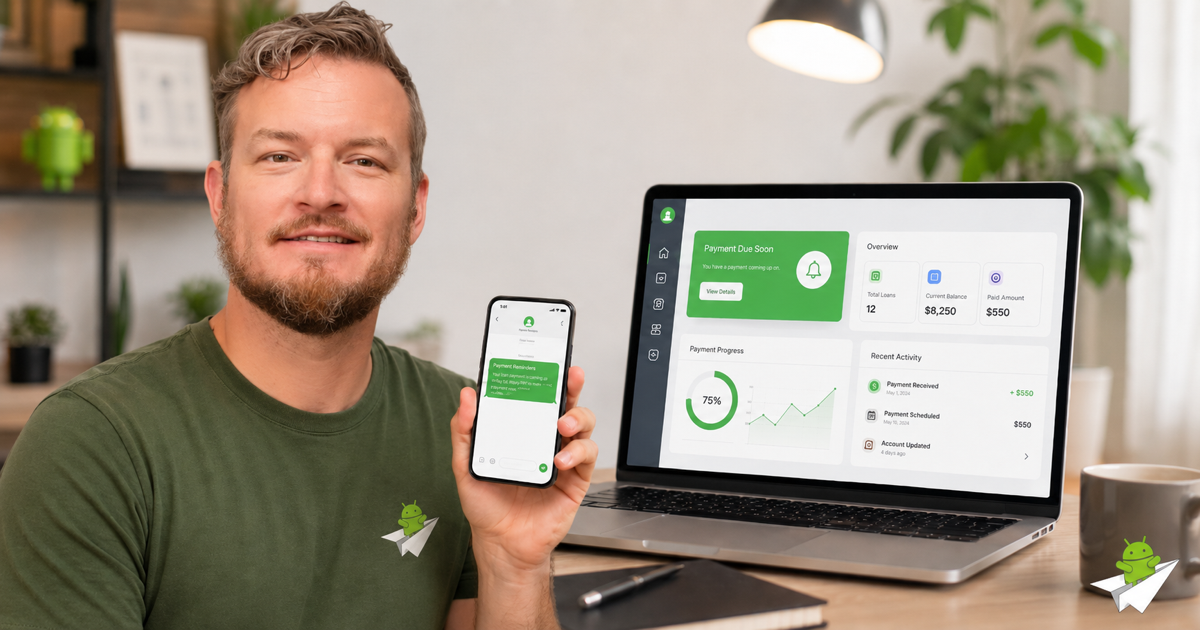
If you're running a payday, installment, or consumer-lending operation on LoanPro, you already know the SMS situation. Twilio rejects you at 10DLC registration. Bandwidth and Sinch want enterprise contracts. Plivo, Telnyx, MessageBird — same story. The carrier-approved A2P 10DLC ecosystem isn't built for your kind of business, and the few SMS gateways that will take you charge per-message rates that wreck your unit economics.
There's a different approach: send SMS from a real Android phone you already own. Carriers can't reject "person-to-person" texts from consumer handsets the way they reject A2P traffic, because the underlying message looks identical to one your sister sent her roommate. This is exactly what Android Texter is built for.
This guide walks through wiring LoanPro's webhook system to Android Texter so payment reminders, delinquency notices, and loan-status updates get sent automatically — no Zapier, no Make, just webhooks and HTTP.
Table of contents
- Why LoanPro lenders get rejected by 10DLC
- How Android Texter solves it
- Architecture overview
- Step 1 — pair an Android phone to Android Texter
- Step 2 — generate your API key
- Step 3 — set up the LoanPro webhook
- Step 4 — write the middleware handler
- Step 5 — test the end-to-end flow
- Going further: other LoanPro events worth wiring
- FAQ
Why LoanPro lenders get rejected by 10DLC
A2P 10DLC is the carrier-approved framework for business-to-consumer SMS in the United States. To send through it, you register your business with a third-party "campaign service provider," get vetted by The Campaign Registry (TCR), pay registration and per-month fees, and submit your use case for carrier approval.
The vetting filters out (at minimum):
- High-rate-of-interest lending (payday, installment over a certain APR)
- Debt collection
- "Lead generation" in regulated verticals
- Anything classified as SHAFT-C (Sex, Hate, Alcohol, Firearms, Tobacco, Cannabis)
Even if your specific operation is fully compliant with state lending law, the carriers' 10DLC vetting process treats the entire vertical as high-risk and rejects new applicants by default. Existing relationships sometimes get grandfathered; new ones almost never get approved on the first try.
Meanwhile, your customers want text updates. 80% of consumers prefer text to phone calls for payment reminders. Email open rates hover around 20%. SMS opens at 98%. If you can't reach customers via SMS, you're leaving payments on the table.
How Android Texter solves it
Android Texter is a self-hosted SMS gateway that runs through an Android phone you already own. The phone uses its existing carrier SIM to send texts the same way you do when you text a friend. There's no A2P registration because there's no A2P — every message originates from a real consumer handset.
The architecture:
LoanPro (payment.due webhook)
        │
        ▼
Your middleware (Cloudflare Worker, AWS Lambda, etc.)
        │
        ▼
Android Texter API (HTTPS, X-API-Key auth)
        │
        ▼
FCM push to your paired Android phone
        │
        ▼
Phone sends actual SMS via carrier
The phone is the SMS gateway. Android Texter's backend is the orchestration layer that takes API calls from your software and routes them to the right paired device.
Pricing is flat — $10/mo per phone after a free tier. No per-message
charges. A single paired phone can send thousands of messages a day
within carrier per-day limits.
Architecture overview
LoanPro doesn't have a Zapier or Make integration today, but it has
something better for high-volume use cases: outgoing webhooks.
LoanPro fires webhook events when payments are due, late, succeed,
or fail. Your middleware catches those events, formats the SMS body,
and POSTs to Android Texter's /api/messages/send endpoint.
The middleware can live anywhere — a Cloudflare Worker, an AWS Lambda function, a tiny Node.js app on a Hetzner VM, or even a Make.com or n8n scenario if you'd rather avoid writing code. We'll use a Cloudflare Worker in this guide because it's free, instant to deploy, and handles the spike traffic patterns lending workflows produce.
Step 1 — pair an Android phone to Android Texter
You'll need an Android phone (any phone running Android 8.0 or newer works), an active SIM with SMS service, and a free Android Texter account.
- Sign up at androidtexter.com using "Continue with Google" — no password to create or manage.
- Open the Devices page in your dashboard. Click Add Device.
- A QR code appears. Download the Android Texter app from androidtexter.com/download onto the phone, open it, and scan the QR code with the in-app scanner.
- Grant the SMS, Contacts, and notification permissions when prompted.
- When the dashboard shows the phone as Online with a green indicator, pairing is complete.
The phone now relays SMS for your account. Keep it charged and on WiFi or cellular data — Android Texter uses Firebase Cloud Messaging to wake the phone for outbound sends, so it needs a network connection (but not necessarily an unlocked screen).
Step 2 — generate your API key
- Dashboard → Settings → API Keys
- Click Create new key, name it
loanpro-webhook - Copy the key (starts with
atx_) and store it somewhere safe — it won't be shown again
The key authenticates every request from your middleware to Android Texter. Treat it like a password: anyone with this key can send SMS from your paired phones.
Step 3 — set up the LoanPro webhook
In your LoanPro admin console:
- Navigate to Settings → API & Webhooks → Outbound Webhooks
- Click Add Endpoint
- Endpoint URL: the URL of your middleware (we'll set this up in
Step 4 — for now use a placeholder like
https://loanpro-sms.<your-domain>.workers.dev) - Events to subscribe to:
Payment.PaymentDue(fires N days before due date)Payment.PaymentLate(fires when a payment misses its date)Payment.PaymentSucceeded(confirmation receipts)Loan.StatusChanged(delinquency status escalations)
- HTTP method: POST
- Content-Type:
application/json - Headers: add a custom header
X-Webhook-Secretwith a random string you generate — your middleware will use this to verify the webhook actually came from LoanPro.
Save the configuration. LoanPro will now POST a JSON payload to your endpoint every time one of those events fires.
LoanPro's webhook payload structure:
{
  "event": "Payment.PaymentDue",
  "timestamp": "2026-05-27T09:00:00Z",
  "loan_id": "LOAN-12345",
  "customer": {
    "id": "CUST-67890",
    "first_name": "Sarah",
    "last_name": "Connor",
    "phone": "+15551234567"
  },
  "payment": {
    "amount": 247.50,
    "due_date": "2026-05-30",
    "days_until_due": 3
  }
}
Step 4 — write the middleware handler
The middleware does three things:
- Verifies the request came from LoanPro (check the
X-Webhook-Secretheader) - Formats a human-readable SMS body from the payload
- POSTs to Android Texter's
/api/messages/send
Here's a complete Cloudflare Worker that handles Payment.PaymentDue:
export default {
  async fetch(request, env) {
    // 1. Verify the webhook secret
    const incomingSecret = request.headers.get('X-Webhook-Secret');
    if (incomingSecret !== env.LOANPRO_WEBHOOK_SECRET) {
      return new Response('Unauthorized', { status: 401 });
    }

    // 2. Parse the payload
    const event = await request.json();
    if (event.event !== 'Payment.PaymentDue') {
      return new Response('Ignored', { status: 200 });
    }

    // 3. Format the SMS
    const { first_name, phone } = event.customer;
    const { amount, days_until_due } = event.payment;
    const dollars = amount.toFixed(2);

    const message = days_until_due === 0
      ? `Hi ${first_name}, this is a reminder that your $${dollars} payment is due today. Reply STOP to opt out.`
      : `Hi ${first_name}, your $${dollars} payment is due in ${days_until_due} days. Reply STOP to opt out.`;

    // 4. Send via Android Texter
    const resp = await fetch('https://androidtexter.com/api/messages/send', {
      method: 'POST',
      headers: {
        'Content-Type': 'application/json',
        'X-API-Key': env.ANDROIDTEXTER_API_KEY,
      },
      body: JSON.stringify({
        phone: phone,
        message: message,
      }),
    });

    if (!resp.ok) {
      const err = await resp.text();
      console.error('Android Texter API error:', err);
      return new Response('SMS send failed', { status: 502 });
    }

    return new Response('OK', { status: 200 });
  },
};
Deploy with Wrangler:
npm install -g wrangler
wrangler login
wrangler init loanpro-sms
# paste the code above into src/index.js
wrangler secret put LOANPRO_WEBHOOK_SECRET     # paste the random string
wrangler secret put ANDROIDTEXTER_API_KEY      # paste your atx_... key
wrangler deploy
Wrangler prints the deployed URL — copy it back into LoanPro's webhook endpoint configuration.
Step 5 — test the end-to-end flow
- In LoanPro, manually trigger a
Payment.PaymentDueevent for a test customer (most LoanPro admin consoles have a "Test webhook" button on each endpoint configuration) - The Cloudflare Worker logs the incoming event (
wrangler tailto stream logs) - Android Texter dashboard → Messages should show the outbound
message within ~5 seconds, status going from
queued→sent→delivered - The test customer's phone receives the SMS
If anything errors, check the Worker's logs first. The most common issues:
- 401 from Android Texter → API key wrong or not set as Worker secret
- 400 invalid phone → LoanPro stored the phone in a non-E.164
format (e.g.
(555) 123-4567). Android Texter auto-normalizes 10-digit US/CA numbers, but unusual formats might fail. - No SMS arrives but API returned 200 → phone might be offline. Check the Devices page. The message will queue and send when the phone reconnects.
Going further: other LoanPro events worth wiring
The same pattern extends to every webhook event LoanPro fires:
| Event | SMS use case |
|---|---|
Payment.PaymentLate | Past-due reminders, escalating tone over time |
Payment.PaymentSucceeded | Receipt confirmation with balance remaining |
Loan.Originated | Welcome text with loan terms summary |
Loan.StatusChanged → Delinquent | Outreach for collection workflow |
Customer.ContactInfoUpdated | Confirmation when borrower updates their phone |
For the receipt-confirmation use case specifically, swap the
/api/messages/send endpoint for /api/messages/broadcast if you
want to send the same message to a co-signer or guarantor at the
same time.
FAQ
Does this work for collections agencies? Yes. Most debt-collection software has webhook support; the same middleware pattern works. We have a separate guide for SimplicityCollect (coming soon).
What about TCPA compliance? Android Texter does not give you a TCPA pass. You're still responsible for getting opt-in consent before texting consumers, honoring STOP requests, and following all applicable state lending and debt collection laws. The platform exists to deliver SMS reliably; the compliance perimeter is yours.
Can the phone send to thousands of numbers per day? Yes within carrier limits. Most US carriers throttle around 250-1,000 messages per day per consumer line. For higher volume, pair more phones — Android Texter supports unlimited paired devices on the Pro plan and load-balances across them automatically.
What happens if the phone goes offline? Messages queue server-side and send when the phone reconnects. There's no message loss as long as you don't delete the queued messages from the dashboard.
Is this legal? Sending SMS from your own phone, using your own SIM, to consenting recipients is exactly the same as you texting a friend — fully legal under federal and state law. What's regulated is the consent and content (TCPA, FDCPA for collections, state lending laws). Android Texter doesn't change any of that; it just changes how the message gets delivered.